Steering-wheel buttons won't skip AUX music? B61 and B71
Music plays through B61 or B71, but the car's track buttons do nothing? Check the AUX control limits and learn which controls belong to the receiver.
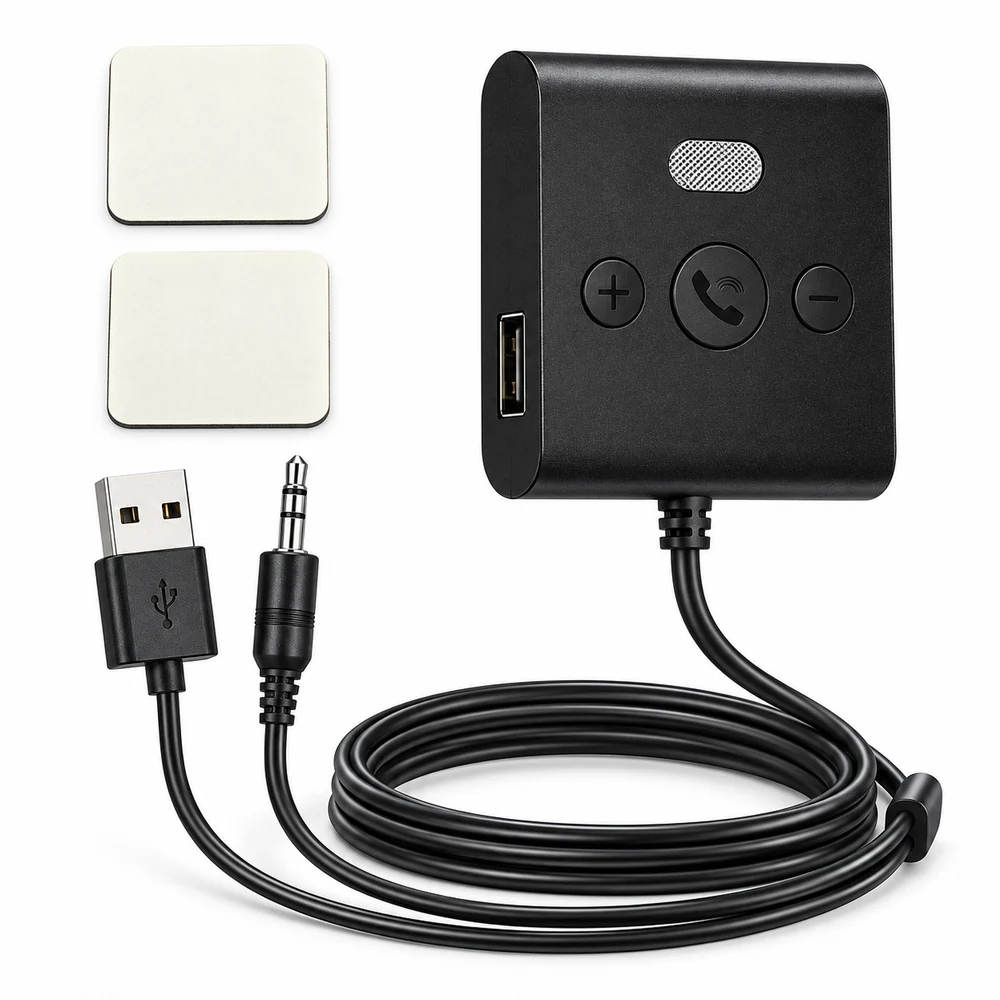
Drive B61 adds Bluetooth music to a car with 3.5 mm AUX input and USB 5V/1A power. Physical playback and call controls; USB alone is not an audio connection.
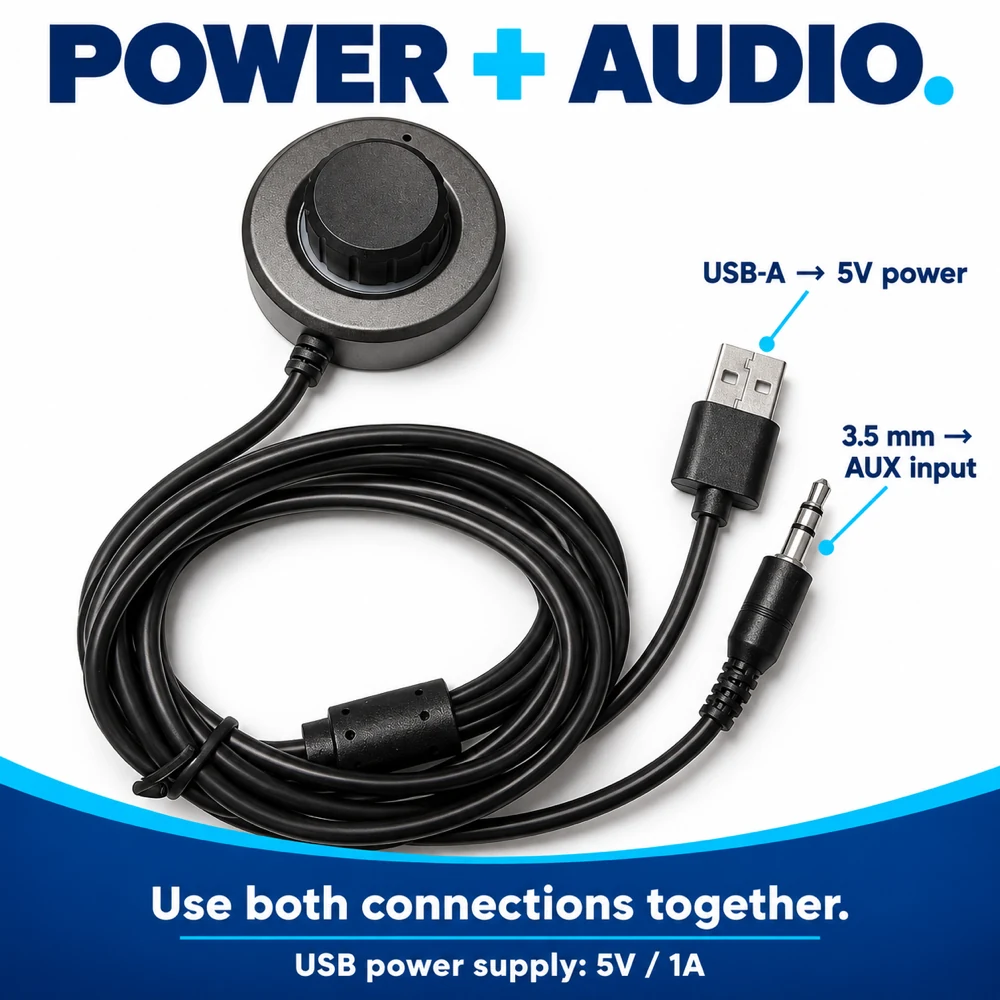
For a car with both a 3.5 mm AUX input and USB power. USB supplies power; AUX carries audio.
B61 is a Bluetooth-to-AUX audio receiver for an existing car stereo. It does not add a CarPlay screen or transmit audio over FM radio.
Use a suitable vehicle USB power source described by the product requirements.
The AUX lead carries audio into the car stereo. USB alone is not the audio connection for this workflow.
Select the receiver from the phone's Bluetooth settings, select AUX on the car stereo, then play.
The current materials show two double-sided mounting pads. Choose a clean, dry location that does not block vehicle controls, visibility, airbags or safe operation. Do not adjust the product while driving if doing so would distract from the road.
Current materials describe a built-in microphone and hands-free calls. Microphone quality, echo behavior and automatic switching between music and calls have not been independently tested in representative vehicles.
No. B61 needs a 3.5 mm AUX input for audio and USB 5V/1A for power. USB alone does not carry music into the stereo in this setup. Check both car connections.
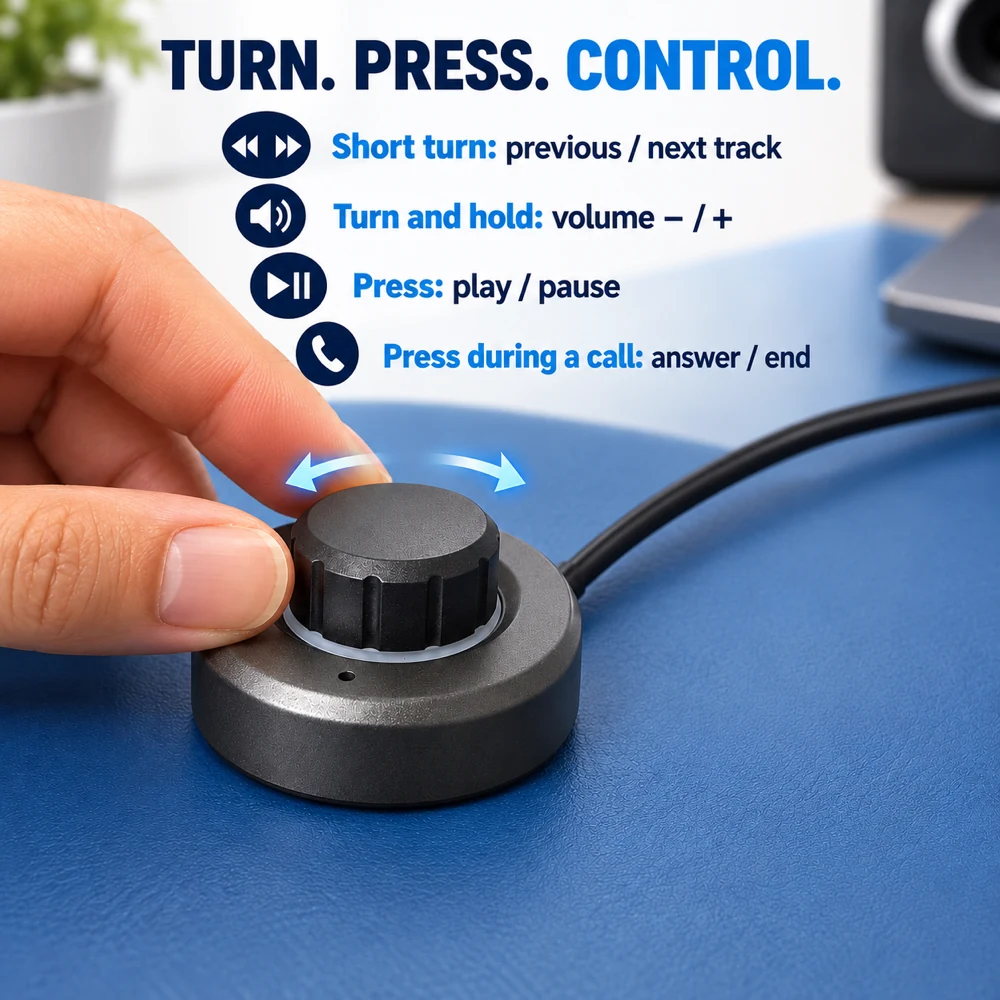
B61 uses physical buttons; B71 uses a rotary and push control. Both require AUX audio and USB power. Compare controls, dimensions and cable reach.
Check that the stereo is on AUX, the receiver has power and the phone is sending media audio to it. Then check volume and the AUX connection. Follow the no-sound troubleshooting guide.
It does not replace CarPlay. Supplied materials describe call controls and a microphone, but call quality and reconnection behavior have not been independently verified.
The listed product price is in USD. Choose Standard or Express China-direct shipping to the United States in your cart.
Compare all four adapters by connection type, then check whether you need a receiver or a transmitter.
These descriptions are based on the current product materials, not a completed independent hardware test. See the product facts and pending verification items. Check the listed limitations before choosing a connection.
Check the connection before you choose.
Music plays through B61 or B71, but the car's track buttons do nothing? Check the AUX control limits and learn which controls belong to the receiver.
B61 or B71 worked before parking but stays silent on the next start? Check USB power, the saved Bluetooth connection, AUX selection and paused playback.
Hear music through car AUX but miss Google Maps directions? Check voice settings, Bluetooth routing and the stereo source with B61 or B71.